Requirements: 5.0+
Overview: Ice Box is a box to freeze and store the apps you rarely used.
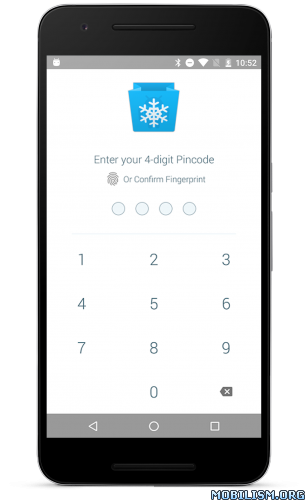
If your device is already root, you can install it directly.
If there is no root, you need to go through a very very very complicating operations to enable Ice Box. Please read the full description before making decision.
Non Root Setup: https://github.com/heruoxin/Ice-Box-Docs/blob/master/Device%20Owner%20(Non%20Root)%20Setup.md
Apps in box will be HIDDEN from launcher and won’t be able to steal your battery or cellular data in background. You can easily launch them from Ice Box, just like launch from a home screen folder. They’ll be frozen automatically after screen lock or back to launcher and can’t do anything in background.
Long press single icon, or drag to select multiple icons can:
– Run App.
– Freeze/Defrost app.
– View App’s system detail.
– Open on Google Play.
– Uninstall.
Support launcher shortcut:
– Freeze All Apps
– Freeze All + Lock Screen
– Defrost and Run Specific App
More Feature:
– Fingerprint lock.
– Notification shortcut.
– Android 7.1 quick shortcut.
– Double click shortcut to freeze.
– Support Tasker plugin.
How to use non root mode
There is not necessary to switch to non root mode if your devices are already rooted.
1. Make sure your device is running Android 5.0+ and you know how to use adb clearly.
2. Go to “Settings – Accounts”, remove ALL ACCOUNTS including your Google account.
3. Run “adb shell dpm set-device-owner com.catchingnow.icebox/.receiver.DPMReceiver ” on your computer terminal.
4. Reboot your phone then can add your accounts back.
After setting up Ice Box will grant the Device Administrator permission on your device to freeze/defrost apps.
Please remember to click “Defrost All” in settings if you want to uninstall Ice Box.
What’s New:
1. Support sort icons.
2. Support batch add shortcuts on Android 8+ (due to system restrictions, batch add is not guaranteed).
Mod Info:
Pro features unlocked.
This app has no advertisements
More Info:
https://play.google.com/store/apps/details?id=com.catchingnow.iceboxDownload Instructions:
https://douploads.net/ggnehrnarnv3
Mirrors:
(Closed Filehost) http://upload4earn.net/dicmx6epqox1
https://speed4up.com/2mq60jcvb1dx.html
(Closed Filehost) http://upload.ac/ryft0m6myjvx
(Closed Filehost) https://ul.to/2un0onji