Requirements: 5.0+
Overview: Use adb commands on your device without root.
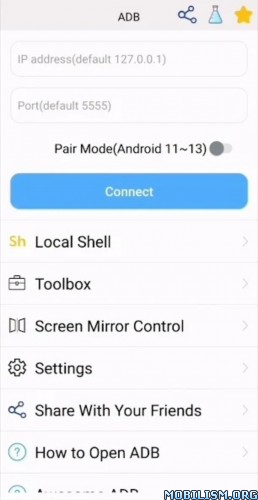
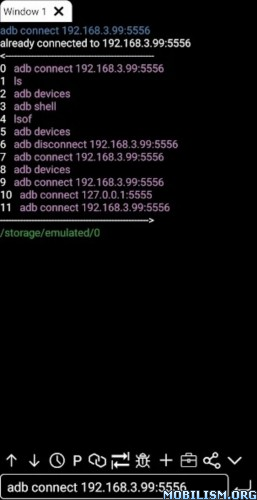
ADB Professional Edition. Supports Android 5 > 13. No root required !
This is a powerful adb tool.
Shell features:
1. Support Android 4.X > 13
2. Support pair mode
3. Support wifi wireless adb.
4. Support local shell adb.
5. Support associative input.
6. Support autosave output.
7. Support share output with your friends.
8. Support command history.
9. Support fast copy command.
10. Support multi-window.
11. Support color text.
12. Support run on the background.
13. Support recommend commands.
14. Support recommend files.
15. Support prefab commands.
16. Support logcat.
Toolbox features:
1. Support launch application & uninstall application & download application & force stop application & clear application data & disable application & enable application.
2. Support device management.
3. Support view running applications
4. Support take screenshot.
5. Support push file
6. Support install apk
7. Support pull file
8. Support to open remote image&audio&video files directly
9. Support remote controller
10. Support text input
11. Support System monitor
12. Support view system information.
13. Support view prop information.
How to enable adb: https://developer.android.com/studio/command-line/adb
discuss & feedback:
Reddit: https://www.reddit.com/r/AndroidAdbClient/
github: https://github.com/jarhot1992/Remote-ADB
email: colorboxguestservice@gmail.com
awesome-adb: https://github.com/mzlogin/awesome-adb/blob/master/README.en.md
Enable adb debugging on your device
To use adb with a device connected over USB, you must enable USB debugging in the device system settings, under Developer options. To use adb with a device connected over Wi-Fi, see Connect to a device over Wi-Fi.
On Android 4.2 and higher, the Developer options screen is hidden by default. To make it visible, go to Settings > About phone and tap Build number seven times. Return to the previous screen to find Developer options at the bottom.
On some devices, the Developer options screen might be located or named differently.
What’s New:
2025.02.18
1. Fix some bugs.
This app has no advertisements
More Info:
https://play.google.com/store/apps/details?id=com.github.standardadbDownload Instructions:
arm7+arm64
https://uploadrar.com/p9pzo7vixjwj