Requirements: 8.0+
Overview: Photo Editor is a small but powerful photo editing application. If you have some knowledge of photography, you can do a lot with Photo Editor. Now use Photo Editor to edit photos on your mobile phone just like you would on a PC. Adjust color, add effects, rotate, crop, resize, frame, clone, and draw on your photos.
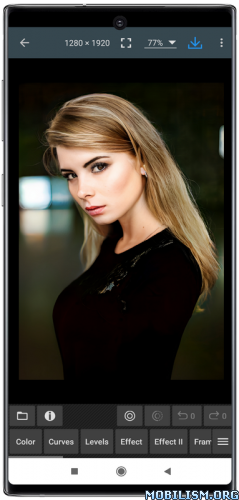
Photo Editor is a small but powerful photo editing application
Photo Editor is a simple and easy application for photo manipulation.
Photo Editor is an advanced editor for pictures allowing a wide range of photo manipulation features for your mobile. You can do easy tasks to enhance your photos like choosing filters on through advanced operations such as modifying curves and more. Adjust color, add effects, rotate, crop, resize, frame, clone, and draw on your photos. Color adjustment options include hue, saturation, contrast, and brightness. Additionally, Photo Editor offers many effects for your photos including gamma correction, auto contrast, auto tone, blur, sharpen, oil paint, sketch, black & white high contrast, sepia, and more.
Features
* Color : exposure, brightness, contrast, saturation, temperature, tint and hue
* Curves & Levels : fine-tuning of colors
* Effects : gamma correction, auto contrast, auto tone, vibrance, blur, sharpen, oil paint, sketch, black & white high contrast, sepia, and more
* Adding text, images or shapes
* Frame, Denoise, Drawing, Pixel, Clone, Cut Out
* Rotation, Straighten, Crop, Resize
* Corrections : perspective, lens, red-eye, white balance and backlight
* Easily edit with the touch and pinch-to-zoom interface
* Save images in JPEG, PNG, GIF, WebP and PDF
* View, edit, or delete Metadata (EXIF, IPTC, XMP)
* Save your final result to your gallery, as wallpaper, or on your SD card
* Share photos via email, social media, and more
* Batch, Crop(Puzzle), Compress to ZIP, Create PDF, Animated GIF
* Webpage Capture, Video Capture, PDF Capture
* Compare Photos, GIF Frame Extractor, SVG Rasterizer
* Ad-free option is available (Settings > Purchase Items)
*** Links
Website:https://www.iudesk.com
Tutorials:https://www.iudesk.com/photoeditor/tutorial
*** PHOTO EDITOR IS NOT SPYWARE/VIRUS!!!
Photo Editor does not contain any viruses or malicious code.
_https://www.iudesk.com/photoeditor/security
★ Ad-Free / Paid features Unlocked
★ All Debug code removed
➡ Languages: Full Multi Languages
➡ CPU architectures: arm64-v8a, armeabi-v7a, x86, x86_64
➡ Screen DPIs: 120dpi, 160dpi, 240dpi, 320dpi, 480dpi, 640dpi
What’s New:
Version 12.4
• Crash & Bug fixes
This app has no advertisements
More Info:
https://play.google.com/store/apps/details?id=com.iudesk.android.photo.editor&hl=enDownload Instructions:
https://upfiles.com/YTPLZ
Mirrors:
https://dgdrive.site/uhqposhu1glt.