Requirements: 3.2 and up
Overview: DroidJoy – Full version
Note: works only on PC not on consoles
***Server should now work on Windows 10***
****DroidJoy server emulates a DInput device****
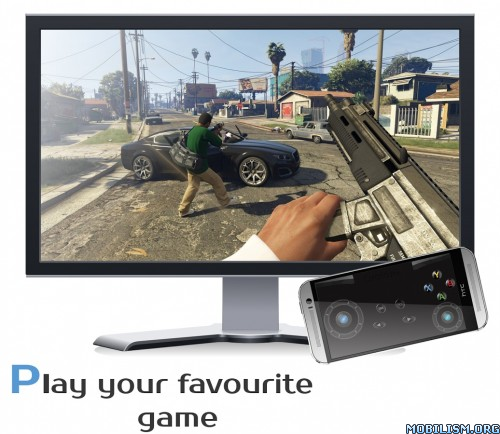
Before installing the app
1. Download the DroidJoy Server software from http://grill2010.github.io/droidJoy.html#download
2. Install and start the Server on your PC (If you have any problems contact me at anytime)
3. Be sure that your smartphone is in the same network as your PC. If you want to use Bluetooth be sure that your PC is set to discoverable.
4. Start the DroidJoy app. Navigate to the “Connect” window and click “Search server”. DroidJoy should now discover the Server automatically.
If you have any problems with the installation of the server, please contact me first before you will give a bad rating. I’m sure that I can help you.
Description
DroidJoy turns your Android smartphone in a real gamepad device for your Windows PC. It offers a huge amount of controller configurations, so that you can use it for multiple game genres. DroidJoy is not a simple keyboard mouse emulator, it is a real gamepad. The driver and the server are available for Windows XP and higher. Even 64 bit operating systems are supported. The server can handle up to 4 DroidJoy clients so that you can easily play multiplayer games with your friends by only using your smartphones.
All you need is the server software, which you can download from the official website:
https://grill2010.github.io/droidJoy.html#download
If you receive some warnings from Windows or your Firewall, please don’t worry.
The Server has been tested on Windows XP, Windows 7, Windows 8, Windows 8.1 and Windows 10. If you have any problems during the installation or with the connection, please contact me at f.grill160@gmail.com. I will try my best to help you with your problem.
Requirements
– Running DroidJoy Server on PC
– Android version 3.2 (HONEYCOMB) or higher
Version 2.1
Add toggle button feature Update G-Sensor handling Enhanced setting possibilities Performance improvements Bug fixes
This app has NO advertisements
More Info:
https://play.google.com/store/apps/details?id=com.grill.droidjoyDownload Instructions:
(Closed Filehost) http://upload4earn.net/jurioudlof69